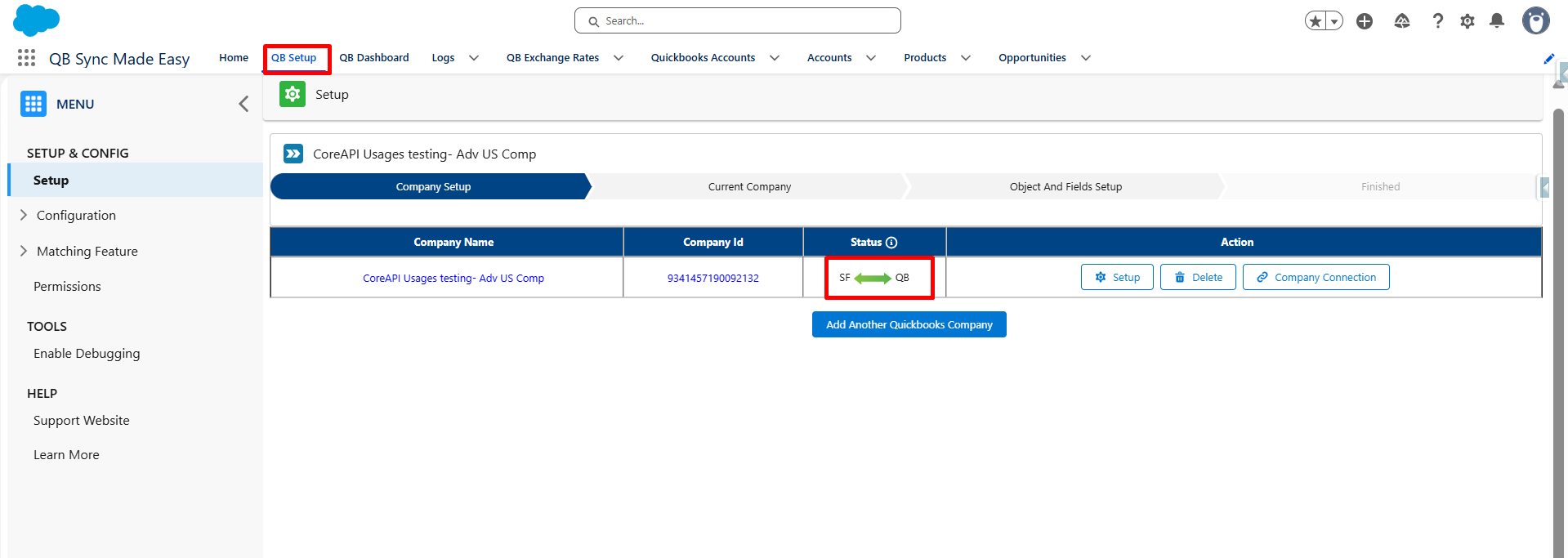
1. Navigate to QB Setup. Ensure that your company is connected to QuickBooks.
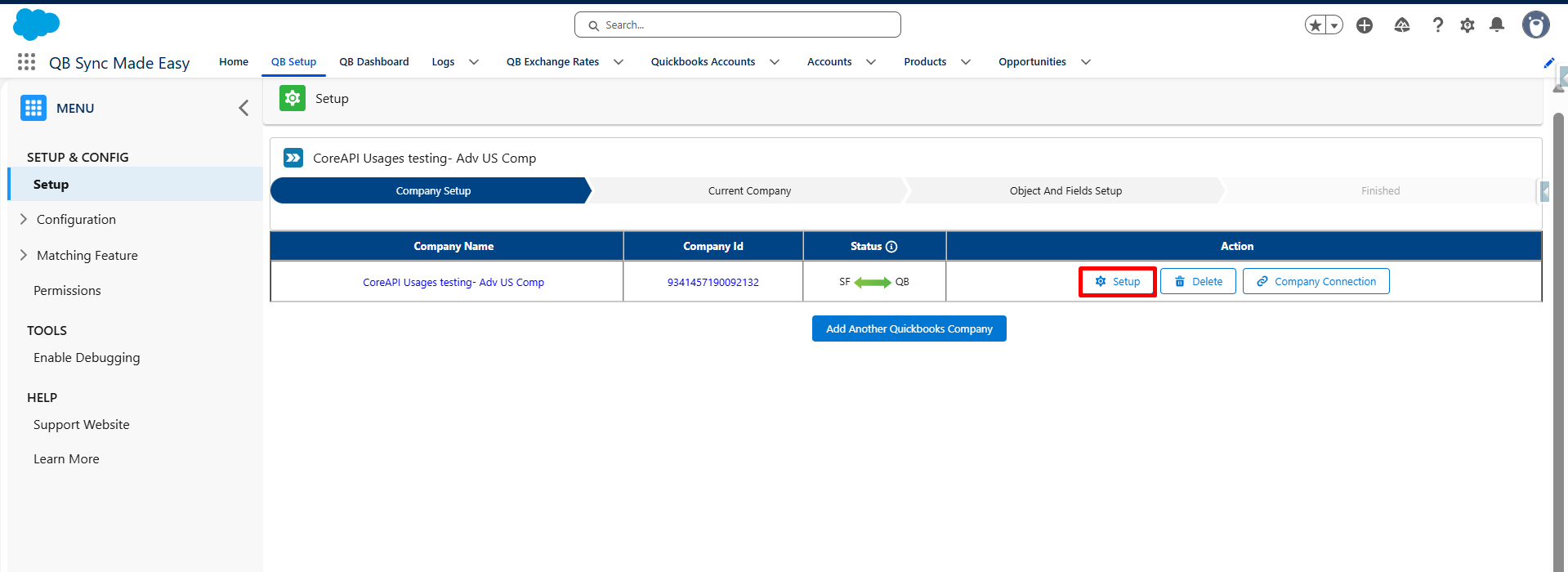
2. Click the Setup button.
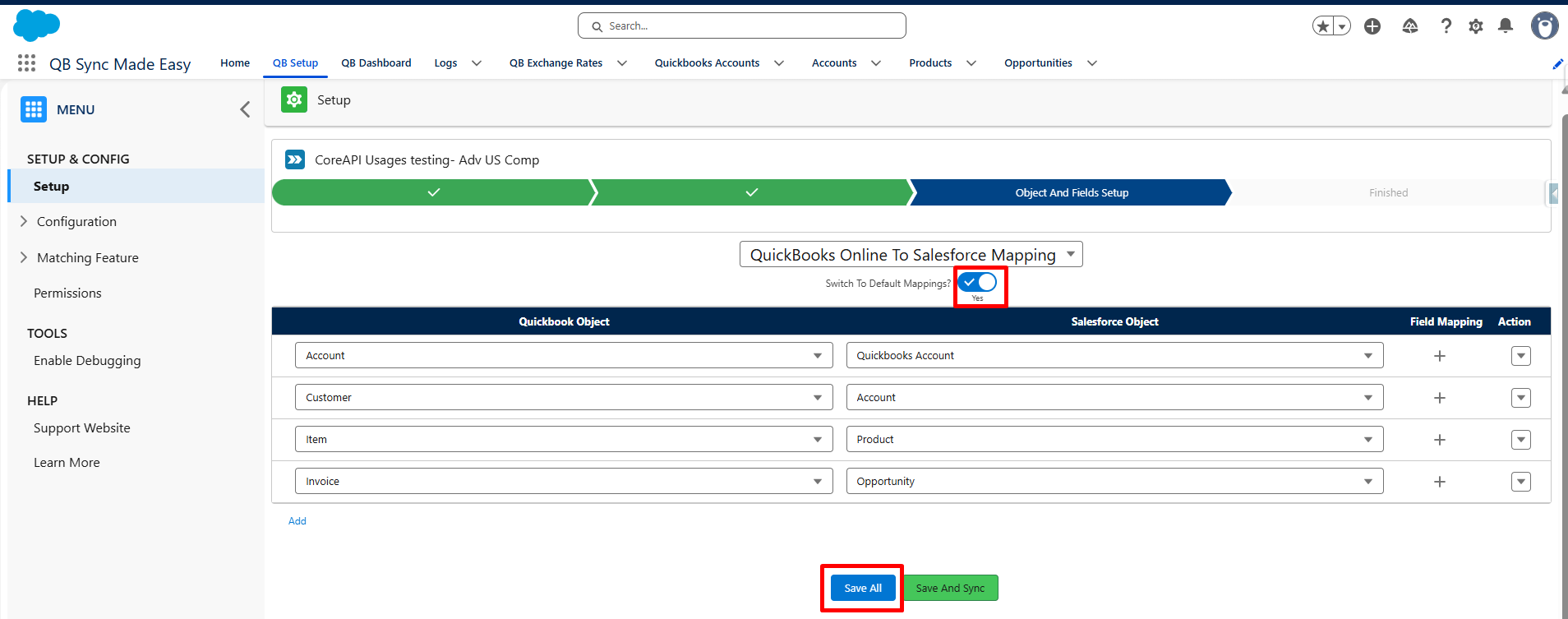
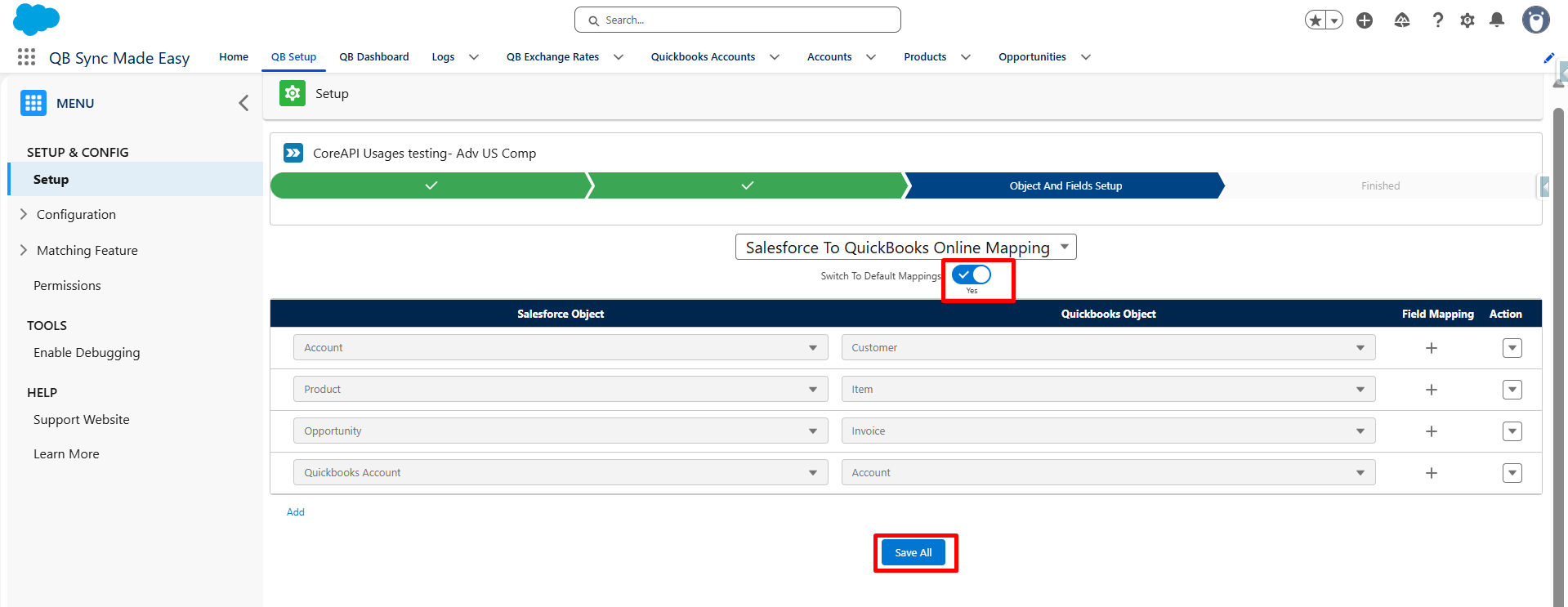
3. Go to the Object and Field Page and activate the Default Mapping toggle to map from QuickBooks to Salesforce. Click the Save button.
4. From the available picklist, select the desired Salesforce-to-QuickBooks mapping.
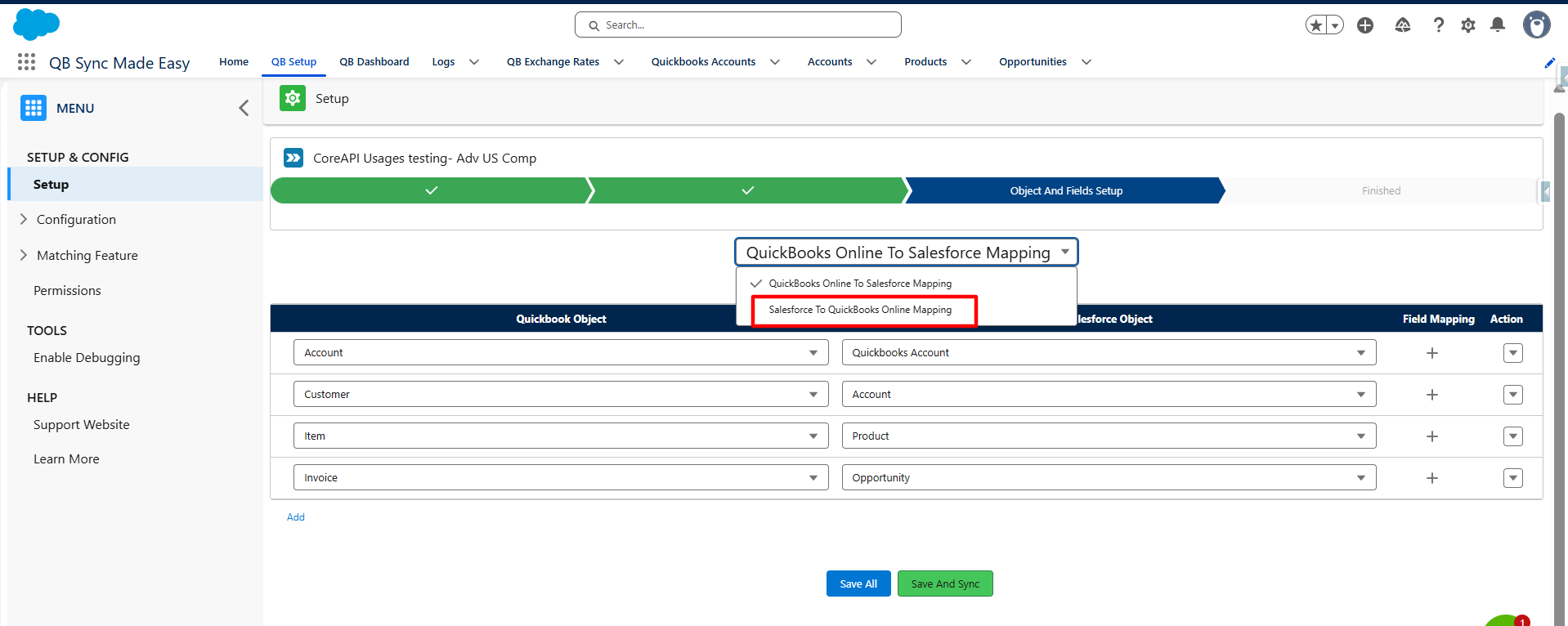
5. Enable the Default Mapping toggle for the selected mapping configuration. Click the Save button to apply your changes.
Was this article helpful?
That’s Great!
Thank you for your feedback
Sorry! We couldn't be helpful
Thank you for your feedback
Feedback sent
We appreciate your effort and will try to fix the article