Steps to Create a QuickBooks Sandbox Account
Follow the steps below to create your own QuickBooks Sandbox company:
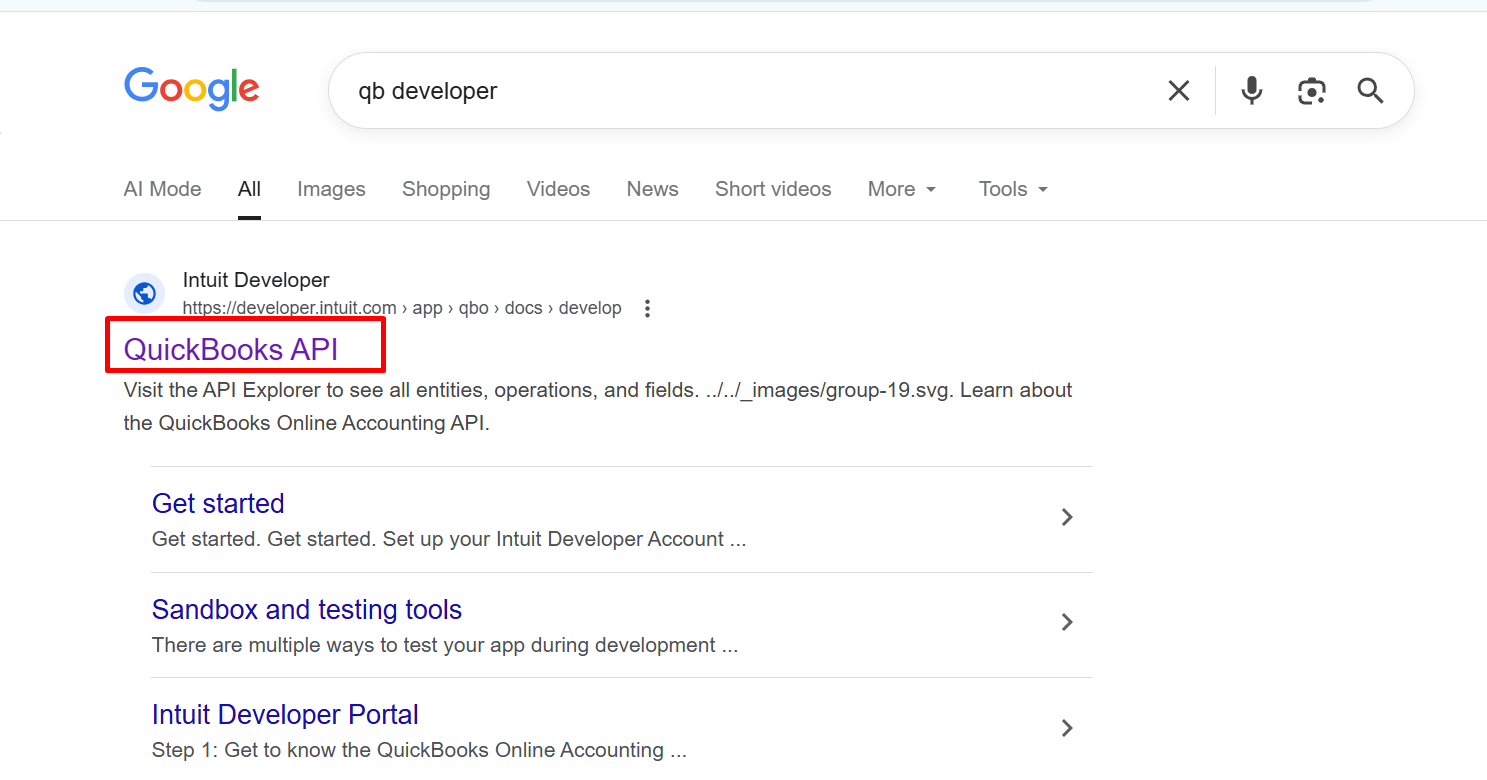
Step 1: Open the QuickBooks Intuit Developer Portal.
Go to the official QuickBooks Developer Portal in your browser.
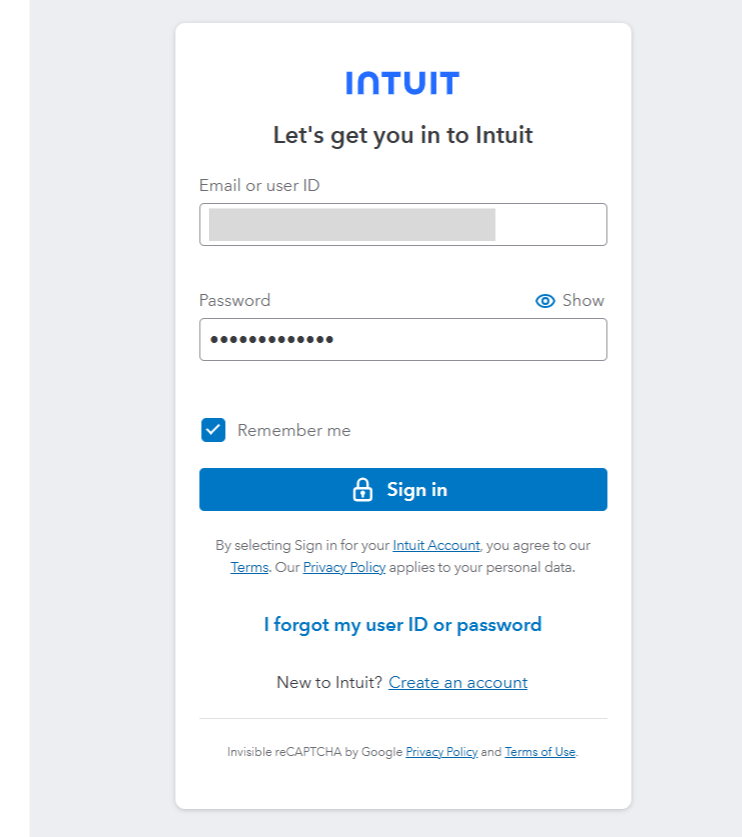
Step 2: Sign In or Create an Account.
If you already have an account, click on Sign In.
If not, click on Create an Account and complete the registration form with accurate details.
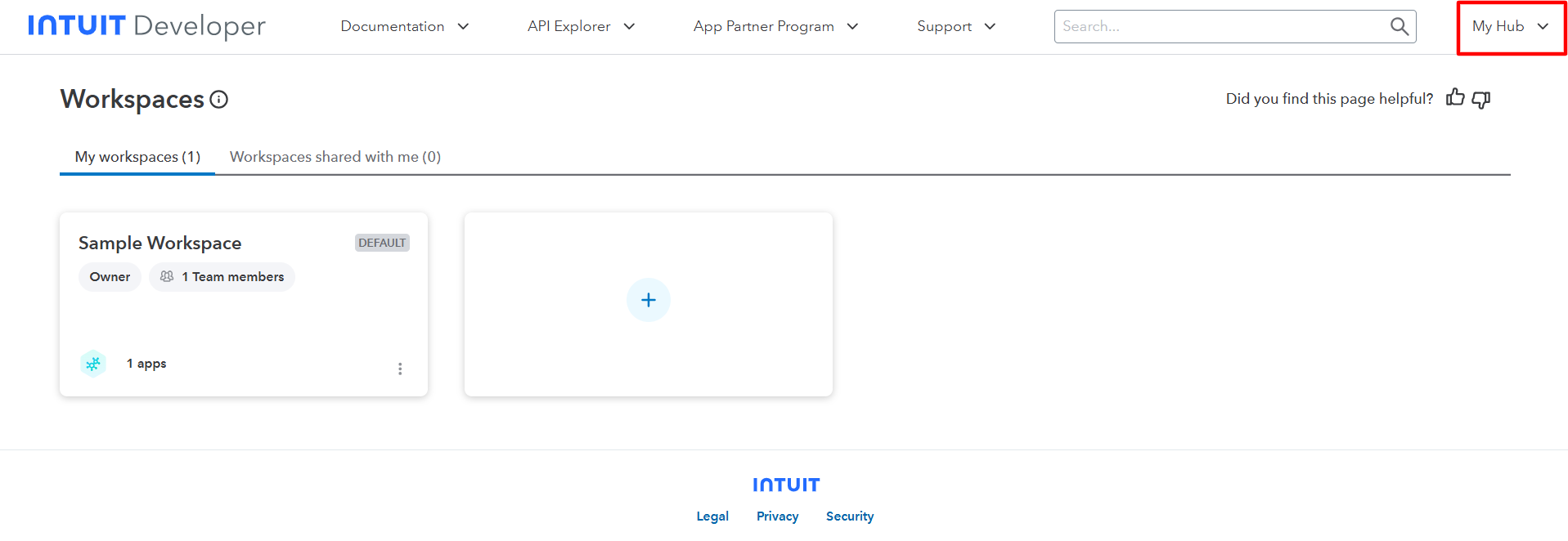
Step 3: Access Your Developer Dashboard.
Once signed in, click on the My Hub button.
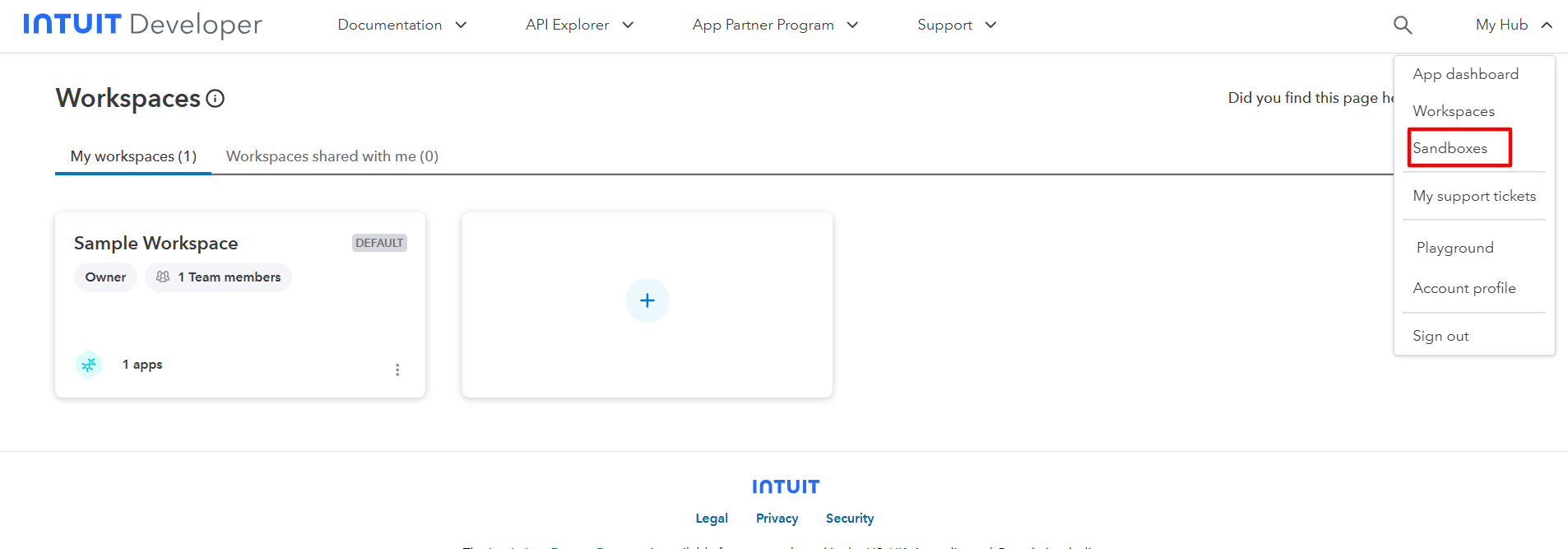
Step 4: Navigate to Sandboxes.
From the menu, select Sandboxes and click on it.
Step 5: Add a New Sandbox Company.
Click on the Add button to create a new sandbox company.
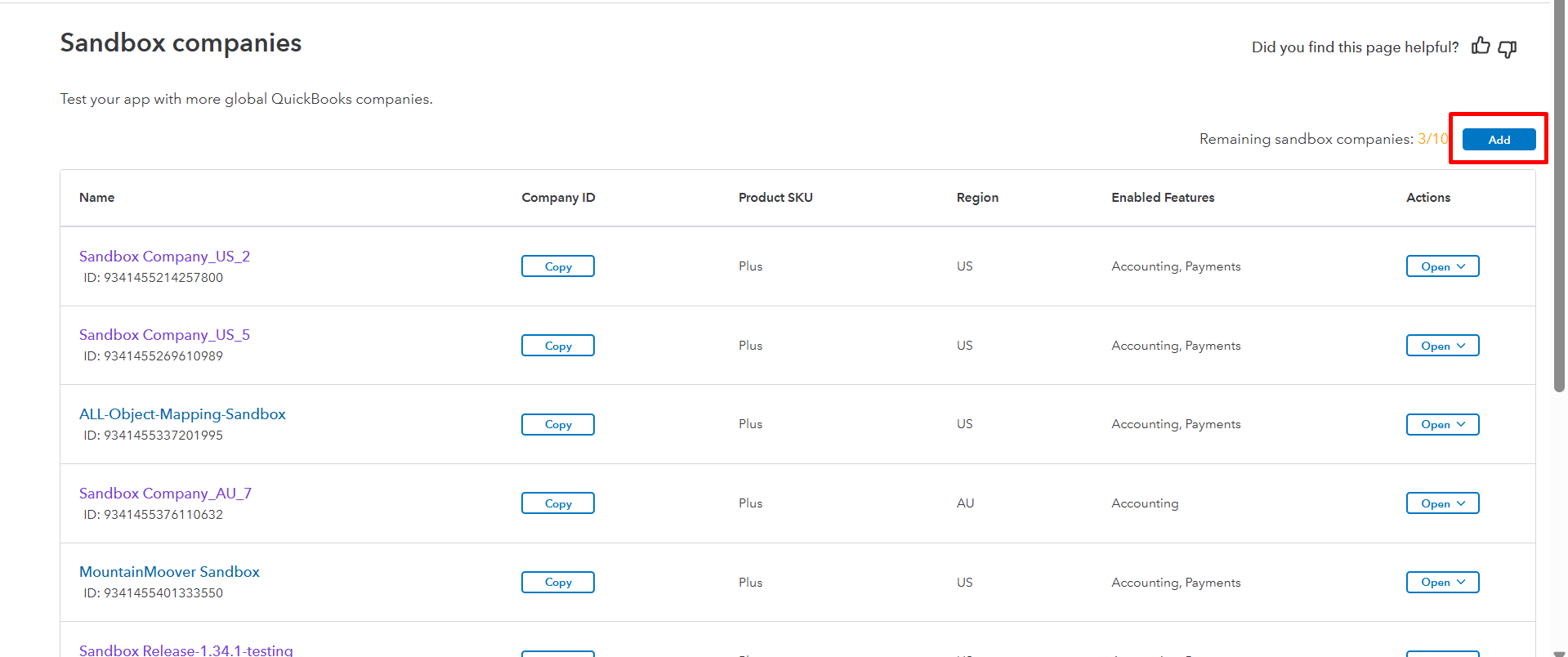
Step 6: Select a Country and Create.
Choose your preferred country, then click on the Create button.
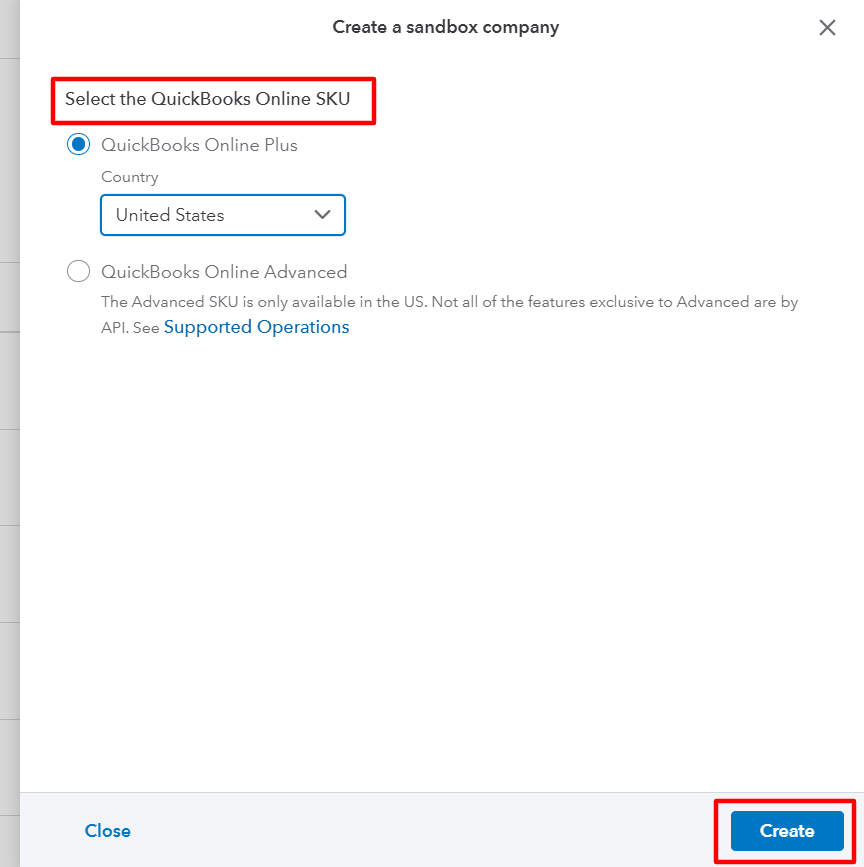
Your new QuickBooks Sandbox company will be created successfully.
Was this article helpful?
That’s Great!
Thank you for your feedback
Sorry! We couldn't be helpful
Thank you for your feedback
Feedback sent
We appreciate your effort and will try to fix the article